
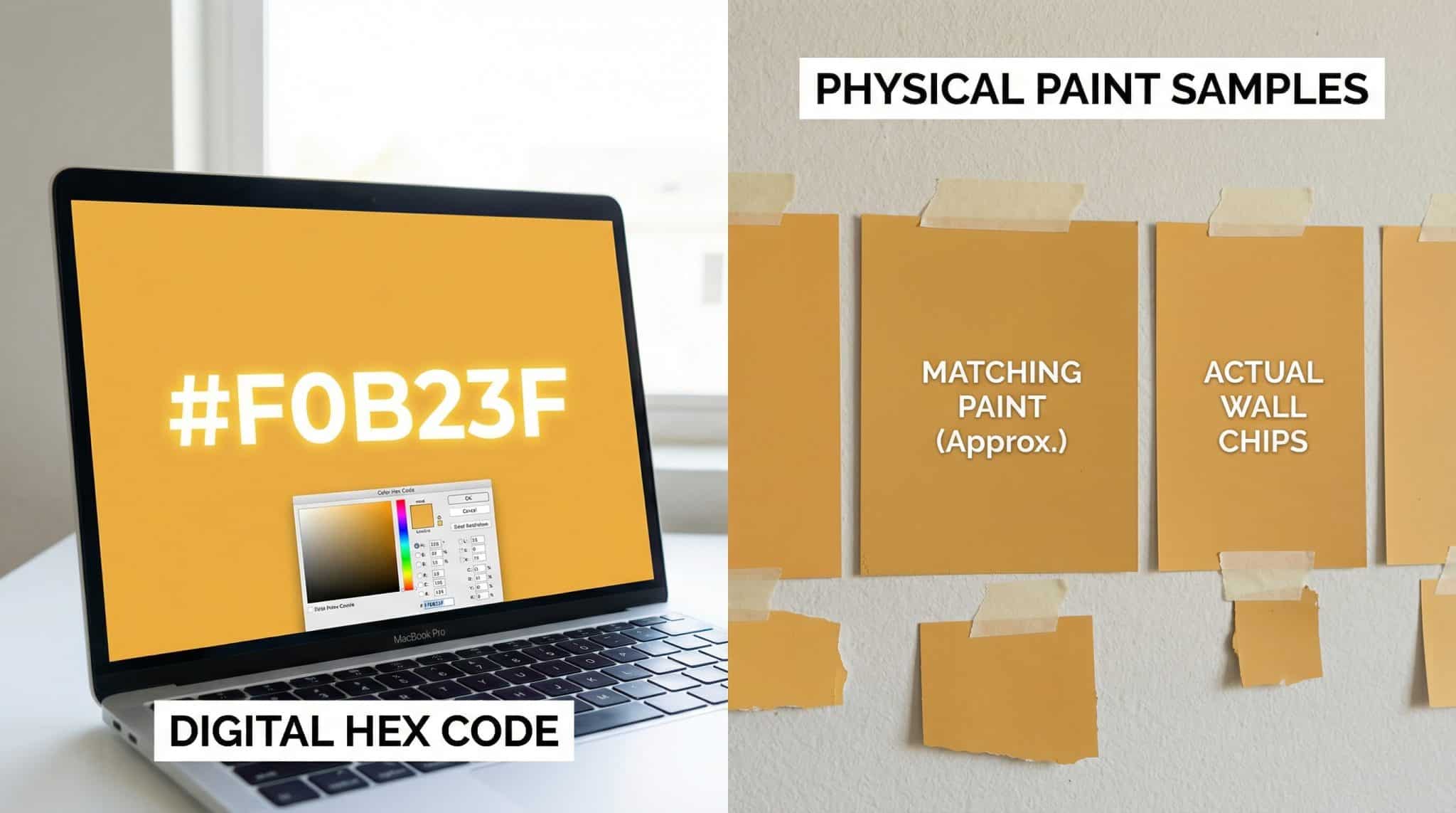
Hex Code to Paint: Why “Perfect Matches” Are Basically a Fairy Tale (Sorry)
If you’ve ever pinned a dreamy room on Pinterest, squinted at your screen like a detective, and thought, “If I can just get the hex code, I can recreate this exactly“… hi. I’m you. I’ve been you. I’ve also been the person standing in the paint aisle holding six sample quarts like they’re newborn babies, whispering, “One of you is the chosen one.”
Here’s the truth that will save you time, money, and at least one mild paint related meltdown: a hex code is not a magic portal to the exact wall color. It’s a starting point. A good one! But still… a starting point.
Why? Because screens glow and paint… does not. And some of the spicy, fully saturated colors your phone can blast into your eyeballs literally don’t exist in pigment form. (About 40% of super saturated screen colors are outside what paint can physically reproduce. Translation: your monitor is a liar with excellent PR.)
Let me walk you through how I handle hex to paint in real life aka how to get really close without expecting a pixel perfect miracle.
Hex codes: what they actually mean (without putting you to sleep)
A hex code is that little six character tag that looks like #94766C. It’s basically a recipe for light, not paint.
- It tells a screen how much red, green, and blue to glow.
- Each pair runs from
00(none) toFF(full blast), which is how you get millions of possibilities.
A couple of “anchors” so your brain has something to hold onto:
#000000= black (no light)#FFFFFF= white (all the light)#808080= gray (all three balanced)
Also: undertones show up in the balance. More red usually reads warmer, more blue reads cooler, and close together numbers tend to look more neutral. This is helpful… but only up to a point, because
Why your wall will never look like your screen (even if the hex is “right”)
Your screen makes color by emitting light (RGB). Paint makes color by absorbing and reflecting light (pigments). That’s like comparing a candle to a brick. They can both be “warm,” but they’re not the same experience.
So even if you find a paint that’s technically a close match to your hex code, it will almost always look:
- duller than the screen
- less punchy
- sometimes deeper or grayer than you expected
And that’s before we even talk about the fact that different screens show the same hex differently. I’ve seen one color look about 15% lighter on a laptop than on a desktop monitor. Same code. Different drama.
A quick “better than nothing” screen tweak
If you’re trying to make your screen less misleading, set your monitor white point to 6500K and don’t crank the brightness like you’re trying to tan your retinas. Matching your screen brightness roughly to your room can reduce the “why does it look different on my phone?” chaos.
But I’m still going to say what you already know deep in your soul:
The only thing you can trust is a physical sample in your actual lighting. Period.
The colors that will break your heart (aka: screen only unicorns)
Some colors are just… not coming with us from the digital world to the paint world.
If it looks:
- neon
- electric
- radioactive
- like it belongs on a gamer keyboard
…expect paint to give you the “realistic cousin” version. Still pretty. Just not glowing.
Also:
Metallics and pearlescents? Hex codes can’t even describe those.
A hex code can’t tell you anything about shimmer, flake size, or that magical color shift thing. That’s a finish/texture situation, and you have to judge it in person.
Trying to match an existing wall color from a photo? Don’t.
I mean… you can, but it’s like trying to bake a cake based on a picture of cake. Cameras adjust white balance, lighting changes everything, and compression does weird stuff.
If you’re matching an existing paint color, do yourself a favor:
- Bring a physical chip (even a tiny one) to the paint store
- Ask them to scan it with a spectrophotometer
It’s usually free, and it’s wildly more accurate than “I zoomed in on an iPhone photo and pulled a hex code with an eyedropper.”
Before you DIY your own hex: check if the paint brand already did the work
This is the part where you get to be lazy in the best way.
A lot of paint brands publish digital equivalents (hex/RGB) for their colors. If you’re trying to match “Sherwin-Williams Whatever Poetic Name,” don’t pull a random hex from a screenshot. Go to the brand’s actual color page first.
In my experience, these are usually pretty easy to find through the brand’s site/tools:
- Sherwin-Williams
- Benjamin Moore
- Behr
- Valspar
- Farrow & Ball
And yes, it’s still not “perfect,” because… screen vs paint. But brand published data beats random Pinterest pixels every day of the week.
If you are pulling a hex from an image… here’s the deal
You can use:
- Photoshop’s color picker/eyedropper
- Browser dev tools with an eyedropper
- Any number of online color picker tools
Just promise me something: treat that hex as a ballpark. Photos drift lighting, camera settings, shadows, editing filters… it all nudges the numbers around. You might be off by enough to land in “why is this suddenly baby poop green?” territory.
If the photo is your only source, I like to grab 3-5 hex codes from different spots (highlights, midtones, shadows) so I understand the range the image is showing. Then I aim for the midtone as my best “true” guess.
My favorite tools for going from hex → paint (without losing your will to live)
If you want quick and reasonably painless:
- MatchMyPaintColor.com: plug in a hex, get close paint matches across multiple brands. It’s not magic, but it’s a solid shortcut.
- ColorHexa.com: great for converting hex to other formats and seeing variations.
The “pro” move: Pantone (especially if you’re working with a contractor/designer)
If you’re doing anything remotely official sending specs to a contractor, trying to match a brand identity color, etc. Pantone can help you speak a more universal language.
And here’s the detail that matters (and can absolutely bite you if you ignore it):
Use Pantone “Uncoated” (U), not “Coated” (C), when you’re translating to paint.
Most interior paint behaves more like uncoated paper than glossy coated stock. Picking the wrong one can shift you a couple shades, and then you’re repainting a whole room because your “warm terracotta” turned into “traffic cone at noon.”
A simple process that actually works (and saves you from sample quart bankruptcy)
Here’s the routine I follow when I’m trying to translate a digital color into an actual paint you can buy:
1) Confirm your source
- If the paint brand provides an official digital value, start there.
- If it’s pulled from an image, assume it’s approximate (because it is).
2) Get a few real paint candidates
Use a hex to paint tool (or the retailer’s color tools) to pull up 2-6 close matches. Don’t marry the first suggestion. Date around a little.
If you’re working professionally, add a Pantone “U” reference to keep things consistent.
3) Sample like a sane person
Buy samples (yes, they cost money; no, you don’t get to skip this step unless you enjoy chaos).
Then:
- paint them on your actual wall (not just on those cute little cards)
- do two coats
- make the swatches big (like 12″x12″ at least your wall deserves more than a postage stamp)
- look at them morning / midday / evening
- give it 24-48 hours before you decide
Paint dries, lighting changes, your eyes get used to how LRV changes a room. I’ve hated a color at 9pm and loved it the next day in natural light. Brains are weird.
4) Write it down like Future You is paying for it (because Future You will be)
Once you pick your final color, document:
- brand + color name + number
- product line
- finish (matte/eggshell/satin/etc.)
- and the batch number from the can if you can
Formulas can drift slightly between batches. If you ever need touch ups, you’ll be glad you treated your paint choice like a tiny legal document.
If you’re sending “color specs” to someone else, don’t send only the hex
A hex code alone is like telling someone “make it cute.” Helpful-ish, but not actionable.
What I send (or would want to receive) for HC 157 color details looks more like:
- Pantone (if relevant): e.g., Pantone 485U
- Paint brand + code: e.g., Sherwin-Williams SW6174 Energetic Orange
- Hex:
#D56C2B - A photo of the sample on the actual wall in the actual room
That combo gives a digital reference, a purchasable product, and real life proof.
Tiny FAQ (because you’re wondering)
Can you get an exact paint match from a hex code?
In practice: no. You can get extremely close, but “exact” is where dreams go to die. The finish, the lighting, and the physics of pigment will always introduce some difference.
How do I make a color lighter/darker/less intense before matching it?
If you convert your hex to HSL (Hue, Saturation, Lightness), you can tweak more intentionally:
- want it lighter? raise Lightness
- want it moodier? lower Lightness
- want it less “LOOK AT ME”? lower Saturation
Then convert back to hex and match that. It’s not foolproof, but it’s way better than randomly grabbing five samples and hoping the paint gods smile on you.
Why do screen colors feel so much brighter?
Because your screen is literally shining light at your face. Your wall is just… existing. Like the rest of us before coffee.
The bottom line
Hex codes are useful. They’re just not a promise.
Use them to narrow the field, pick a few strong candidates, and then let real paint in real light be the final judge. That’s the part nobody wants to do, but it’s the part that keeps you from repainting your whole room while muttering, “It looked perfect on my phone.”
If you want, send me the hex you’re trying to match (and tell me what room/lighting you’ve got). I’ll tell you whether you’re chasing a reasonable color… or a full on neon unicorn.